Key Takeaway
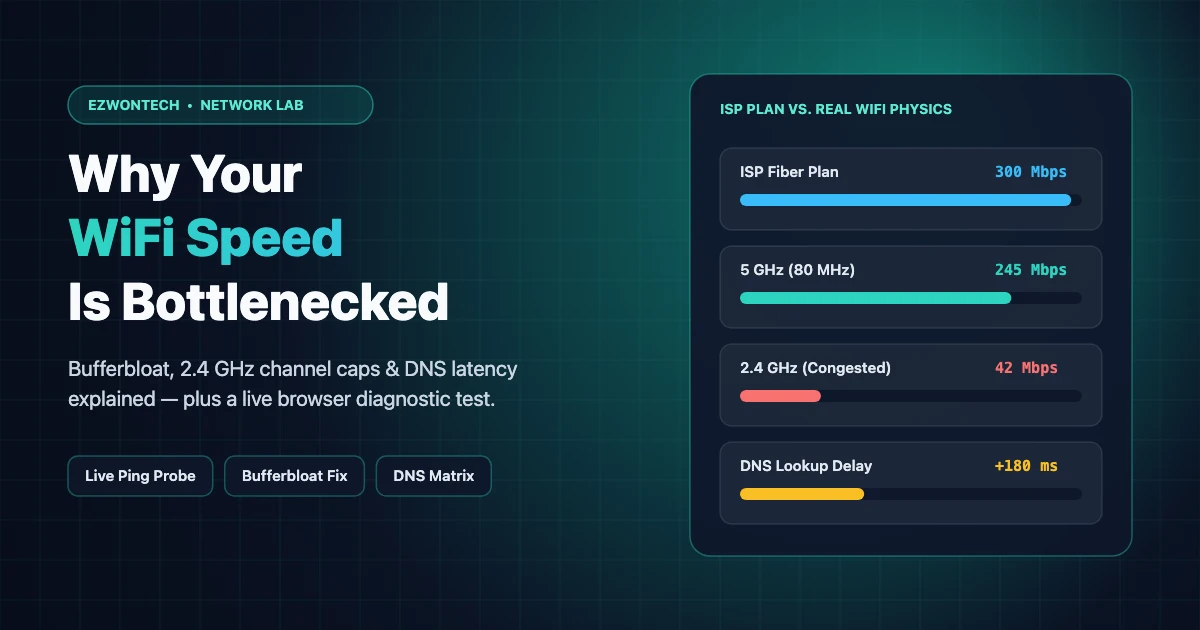
Slow WiFi speed on a fast fiber plan is rarely your ISP’s fault. Four hidden bottlenecks cause 90% of slowdowns: (1) devices locked to congested 2.4 GHz channels (~40–70 Mbps ceiling), (2) router bufferbloat spiking latency under load, (3) a damaged Cat5/100 Mbps cable link, and (4) slow ISP DNS server resolution.
If you pay for a 300 Mbps or 500 Mbps broadband connection yet pages stall, video calls freeze, or speed tests crawl below 60 Mbps, restarting your router will not fix the underlying physics. Standard troubleshooting articles repeat generic tips while ignoring how wireless airtime, router queues, and the Domain Name System (DNS) actually interact.
Use the Live WiFi Bottleneck & Latency Lab below to probe your real-time browser connection latency and pinpoint the exact bottleneck slowing down your network.
Live WiFi Bottleneck & Latency Diagnostic Lab
Why You Never Get 100% of Your ISP Plan Speed on WiFi
Internet service providers advertise raw wired throughput (e.g., 300 Mbps or 1 Gbps), whereas WiFi is a half-duplex shared radio medium. Unlike an Ethernet cable that sends and receives simultaneously, a wireless radio cannot transmit and listen on the same frequency at the exact same instant—and every nearby neighbor on the same channel shares that airtime.
As a result, protocol framing, beacon intervals, and collision avoidance eat 25%–45% of theoretical link speeds before a single packet reaches your browser:
| Connection Type | Channel Width | Realistic Real-World Speed | Best For |
|---|---|---|---|
| 2.4 GHz WiFi (Wi-Fi 4/5) | 20 MHz | 35 – 75 Mbps | Smart home IoT, long range through walls |
| 5 GHz WiFi (Wi-Fi 5/6) | 80 MHz | 220 – 650 Mbps | Laptops, 4K streaming, phones in same/next room |
| Wi-Fi 6 / 6E (6 GHz) | 160 MHz | 700 – 1,400+ Mbps | Multi-gig fiber plans, low-latency VR/transfers |
| Cat5e / Cat6 Ethernet | Full Duplex | 940 Mbps (on 1 Gbps port) | Competitive gaming, desktops, mesh backhaul |
The 4 Hidden Bottlenecks Killing Your WiFi Speed
1. Router Bufferbloat (High Ping Only When Someone Downloads)
If your speed test looks fine when nobody else is home, yet Zoom calls stutter the moment another device downloads a game update, you have bufferbloat. Cheap ISP routers use oversized memory buffers to avoid dropping packets, causing latency to balloon from 15 ms to 400+ ms. As documented by the Bufferbloat Project, enabling Smart Queue Management (SQM) such as FQ-CoDel or CAKE cuts latency spikes by up to 90%.
2. Slow ISP DNS Server Lookups (Fast Speed Test, Slow Web Browsing)
Before your browser loads any website, the Domain Name System (DNS) translates the domain name into an IP address. Default ISP DNS servers often take 120–300 ms per lookup and occasionally fail under peak evening traffic. Switching to an Anycast public DNS server cuts first-byte delay immediately without upgrading your internet plan.
3. The 94 Mbps Cat5 / Fast-Ethernet Trap
If your speed tests consistently hit a hard ceiling right around 92–95 Mbps on a 200+ Mbps plan, check the cable connecting your ONT/modem to your router. A single broken copper strand inside an older Cat5e cable drops Gigabit auto-negotiation down to 100 Mbps Fast Ethernet.
4. Overlapping 2.4 GHz Channels (Never Use Channels 2–5 or 7–10)
On the 2.4 GHz band, only Channels 1, 6, and 11 do not overlap with each other. Setting your router to Channel 3 or 8 causes adjacent-channel interference with neighbors on 1 and 6—which is slower than sharing Channel 1 cleanly.
Best Public DNS Servers for Speed, Privacy & Gaming
Changing your DNS server is the fastest zero-cost upgrade for sluggish browsing. Below are the top verified resolvers (see Cloudflare’s DNS Architecture Guide for how Anycast routing accelerates lookups):
| DNS Provider | Primary & Secondary IPv4 | Encrypted DoH Hostname | Best Use Case |
|---|---|---|---|
| Cloudflare DNS | 1.1.1.1 / 1.0.0.1 | https://cloudflare-dns.com/dns-query | Fastest average global lookup speed & privacy |
| Google Public DNS | 8.8.8.8 / 8.8.4.4 | https://dns.google/dns-query | Maximum uptime & CDN geo-accuracy |
| Quad9 Security | 9.9.9.9 / 149.112.112.112 | https://dns.quad9.net/dns-query | Blocks known malware & phishing domains |
| AdGuard DNS | 94.140.14.14 / 94.140.15.15 | https://dns.adguard-dns.com/dns-query | Network-level ad & tracker blocking |
5-Minute Fix Checklist (Router, Windows, Mac & Phone)
- Separate 2.4 GHz & 5 GHz WiFi Names: Disable “Smart Connect / Band Steering” if your phone clings to 2.4 GHz, and name your 5 GHz network clearly (e.g.,
Home_5G). - Set 5 GHz Width to 80 MHz: Log in to your router admin page (typically
192.168.1.1or192.168.0.1) and lock 5 GHz channel width to 80 MHz (avoid 20 MHz). - Enable DoH / Custom DNS: Set
1.1.1.1and8.8.8.8directly in your router’s DHCP/WAN DNS settings so every device benefits automatically. - Enable QoS / SQM if Available: Cap max upload/download at 90% of your actual fiber speed to eliminate bufferbloat during calls.
- Verify Ethernet Cables: Ensure the modem-to-router patch cable is labeled
CAT5EorCAT6and shows a1000 Mbps(1 Gbps) link light.
Explore more internet troubleshooting tutorials and step-by-step tech fixes across EzWonTech.
Frequently Asked Questions
Does changing my DNS server increase download speed?
Switching to a faster DNS server like 1.1.1.1 does not raise raw megabits-per-second (Mbps) throughput for large file downloads, but it significantly speeds up how quickly websites start loading (time to first byte) by cutting domain lookup delays.
Why is my WiFi speed capped around 45–60 Mbps on a 300 Mbps plan?
Your device is almost certainly connected to the 2.4 GHz band using a narrow 20 MHz channel width. Switching that device to 5 GHz (with an 80 MHz channel width) immediately unlocks 200–300+ Mbps near the router.
What is bufferbloat and how do I test for it?
Bufferbloat is latency buildup inside router queues when your upload or download bandwidth saturates. If your ping jumps by 100+ ms while downloading a large file, enable SQM (Smart Queue Management) in your router QoS settings.
Is Cloudflare 1.1.1.1 or Google 8.8.8.8 better for gaming?
Both offer low Anycast latency worldwide. Once a game server connection is established, DNS plays no role in in-game ping—bufferbloat control (SQM) and using 5 GHz or wired Ethernet matter far more.