Prompt engineering is the practice of designing, structuring, and refining inputs (prompts) so that Large Language Models (LLMs) like ChatGPT, Google Gemini, and Claude produce accurate, reliable, and actionable outputs.
Whether you are drafting technical documentation, debugging code, or automating content workflows, the quality of an AI’s response depends directly on the clarity and structure of your prompt. Instead of treating an AI chatbot like a search engine, effective AI prompt engineering treats it like a capable assistant that needs clear instructions, context, and constraints.
What Is Prompt Engineering and Why Does It Matter?
Modern LLMs generate text by predicting the most probable next token (word or sub-word) based on the context window you provide. When a prompt is vague—such as “Write an article about cybersecurity”—the model has millions of possible directions to take, so it defaults to generic, surface-level summaries.
By applying structured prompt engineering (explore more step-by-step tech guides and technology tutorials on EzWonTech), you narrow the model’s probability space and achieve three immediate benefits:
- Higher Accuracy & Fewer Hallucinations: Providing background facts and explicit constraints reduces fabricated claims.
- Consistent Output Formatting: You can force the model to return clean Markdown tables, valid JSON, or step-by-step checklists ready for production.
- Less Manual Editing: A well-engineered prompt delivers a 90% finished draft on the first try instead of requiring five follow-up corrections.
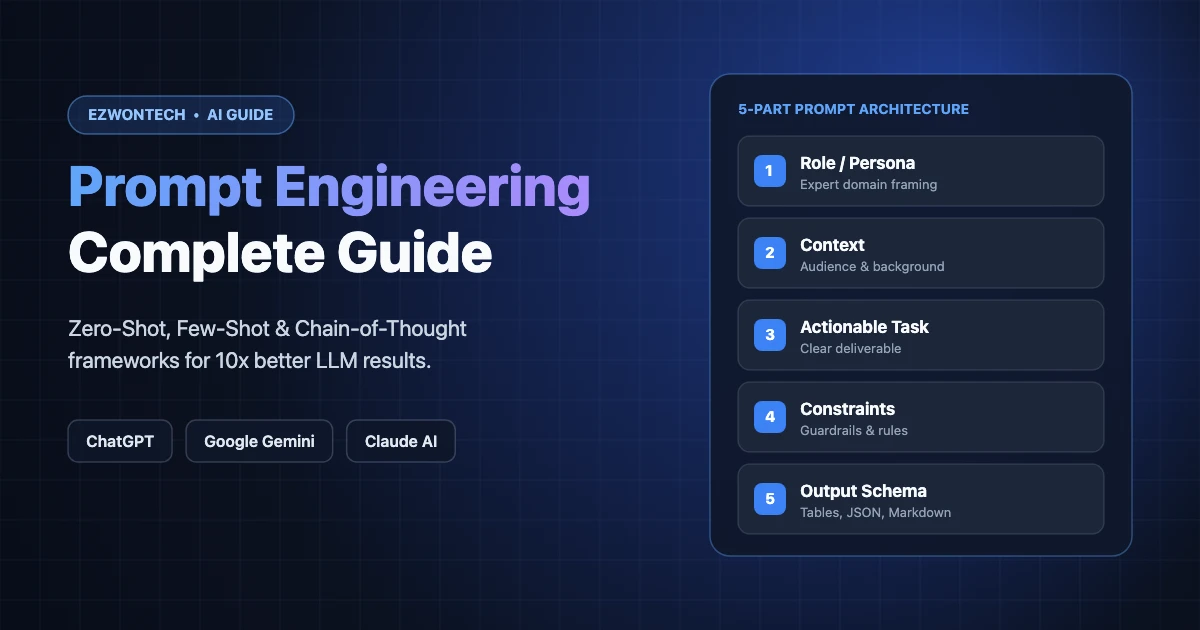
The 5-Part Anatomy of a High-Performing AI Prompt
Almost every reliable prompt—whether for ChatGPT prompt engineering, Gemini, or Claude—follows a five-part semantic structure:
| Component | Purpose | Example |
|---|---|---|
| 1. Role (Persona) | Anchors vocabulary, tone, and expertise level. | “Act as a senior cloud security architect.” |
| 2. Context | Explains the audience, goal, and environment. | “You are writing for non-technical SaaS founders.” |
| 3. Task | States the exact deliverable with an action verb. | “Create a 5-step SOC 2 readiness checklist.” |
| 4. Constraints | Sets boundaries and tells the AI what to avoid. | “Avoid legal jargon; keep each step under 40 words.” |
| 5. Output Format | Defines the exact structure of the response. | “Format as a Markdown table with Priority and Owner columns.” |
Core Prompt Engineering Techniques (With Examples)
Different tasks require different prompting strategies. Below are the four foundational techniques used by engineers and content teams.
1. Zero-Shot Prompting
Zero-shot prompting means asking the LLM to perform a task directly without giving it any prior examples. It works best for straightforward summarization, translation, or classification.
Example:
Classify the following customer support ticket into one category: [Billing, Technical Bug, Feature Request]. Return only the category name.
2. Few-Shot Prompting
Few-shot prompting provides 2 to 5 input-output examples inside the prompt so the model learns your exact style, tone, or data schema before generating a new answer.
Example:
Convert product features into benefit-driven headlines.
Feature: 256-bit encryption → Headline: Bank-grade security that keeps your data private.
Feature: 1-click CSV export → Headline: Share clean reports with your team in seconds.
Feature: Offline sync → Headline:
3. Chain-of-Thought (CoT) Prompting
Chain-of-Thought prompting instructs the model to break down complex reasoning step-by-step before giving a final conclusion. This dramatically improves performance on math, logic, debugging, and strategic planning.
Example:
Analyze why this SQL query is slow on a 10-million-row table. Think step-by-step about index usage, full table scans, and join order before suggesting the optimized query.
4. Role & System Prompting
In APIs and custom AI workspaces, a system prompt sets persistent behavioral rules that govern every message in the conversation—such as tone, formatting rules, and refusal boundaries.
Example:
System: You are a senior technical editor. Always reply in active voice, keep paragraphs under 3 sentences, and flag any unverified statistics with [VERIFY].
5 Ready-to-Copy Prompt Templates
Use these battle-tested templates in ChatGPT, Gemini, or Claude by replacing the bracketed placeholders:
1. Semantic SEO Article Outline
Act as a Senior SEO Strategist. Create a comprehensive H2/H3 outline for "[Topic]" targeting [Audience]. Cover core entities, search intent, a comparison table, and 4 FAQs. Avoid generic filler intros.
2. Code Review & Bug Hunt
Act as a Staff Software Engineer. Audit the code below for security vulnerabilities, race conditions, and edge-case bugs. List each issue by severity (High/Medium/Low) and provide only the minimal corrected code snippet.
3. High-Converting Landing Page Copy
Act as a Direct-Response Copywriter. Using the Problem-Agitate-Solve framework, write a hero headline, 3 benefit bullets, and a CTA button for [Product] aimed at [Target Customer]. Keep the tone clear and jargon-free.
4. Executive Research Summary
Summarize the text below for a busy product manager. Output: (1) a 2-sentence TL;DR, (2) 5 key takeaways as bullet points, and (3) 3 recommended next actions. If data is missing, state "Not mentioned" instead of guessing.
5. Fast Concept Mastery (Tutor Mode)
Explain [Complex Topic] to a beginner using a real-world analogy, then give one practical example, and finally ask me 2 short quiz questions to test my understanding before moving on.
Advanced Techniques: Prompt Chaining & Model Parameters
Once you master single-turn prompts, two advanced practices dramatically improve reliability on large projects:
- Prompt Chaining: Instead of asking an AI to research, outline, write, and proofread a 2,000-word report in one shot, split it into 3–4 sequential prompts where the output of step 1 feeds into step 2.
- Temperature & Determinism: When using APIs or AI playgrounds, keep
temperaturelow (0.0 – 0.3) for coding, data extraction, and factual Q&A, and raise it (0.7 – 0.9) for creative brainstorming and headlines.
Prompt Engineering Differences: ChatGPT vs. Gemini vs. Claude
While core principles apply across all LLMs, each model responds best to slightly different structural cues as documented in official provider guides:
- ChatGPT (GPT models): Performs reliably with clear Markdown headings (
### Role,### Task,### Constraints) and numbered lists (see OpenAI’s Prompt Engineering Guide). - Google Gemini: Excels when given rich background context, clear audience definitions, and structured output tables (see Google Gemini Prompting Strategies).
- Claude: Responds exceptionally well to XML tags (such as
<role>,<context>,<instructions>, and<examples>), which cleanly separate data from instructions (see Anthropic’s Prompt Engineering Docs).
5 Common Prompt Engineering Mistakes to Avoid
- Writing one-line prompts for complex tasks: Always specify audience, tone, and format.
- Overloading a single prompt with unrelated goals: Split multi-stage workflows (e.g., research → outline → draft) into chained prompts.
- Forgetting negative constraints: Explicitly tell the AI what not to do (e.g., “Do not invent statistics; if unsure, state that verification is needed”).
- Ignoring context window limits: Pasting massive, unfiltered documents dilutes attention on the actual instructions. Summarize or extract relevant sections first.
- Skipping iteration: Treat your first prompt as a draft—inspect where the output drifted and tighten that specific constraint.
Frequently Asked Questions (FAQ)
Is prompt engineering only for developers?
No. While developers use prompt engineering to build AI applications and agents, marketers, writers, analysts, and students use the exact same techniques to get faster, more accurate results from ChatGPT, Gemini, and Claude.
What is the difference between zero-shot and few-shot prompting?
Zero-shot prompting gives the AI a task with zero examples, while few-shot prompting includes 2–5 sample input/output pairs so the model matches your exact format and tone.
Does prompt engineering still matter with newer AI models?
Yes. Even as reasoning models improve, they cannot guess your private business context, target audience, brand voice, or required output schema unless you specify them clearly.
How can I prevent AI hallucinations with better prompts?
Provide verified source text in your prompt, instruct the model to cite only from the provided context, and add an explicit constraint: “If the answer is not in the provided information, say ‘Not enough data’ instead of guessing.”